Openers
Garage Remote & Keypad Programming in Camberwell
666 Burke Rd, Camberwell VIC 3124·Open 7 days, 8 am–6 pm
Garage remotes go missing, stop working or come with a house you have just bought. Because a remote opens the garage, and often the house through it, knowing exactly which remotes work matters. We program, replace and clear garage remotes and fit wireless keypads.
Checklist
What we handle
- Programming replacement and additional remotes
- Clearing all remotes from the opener after a loss or move
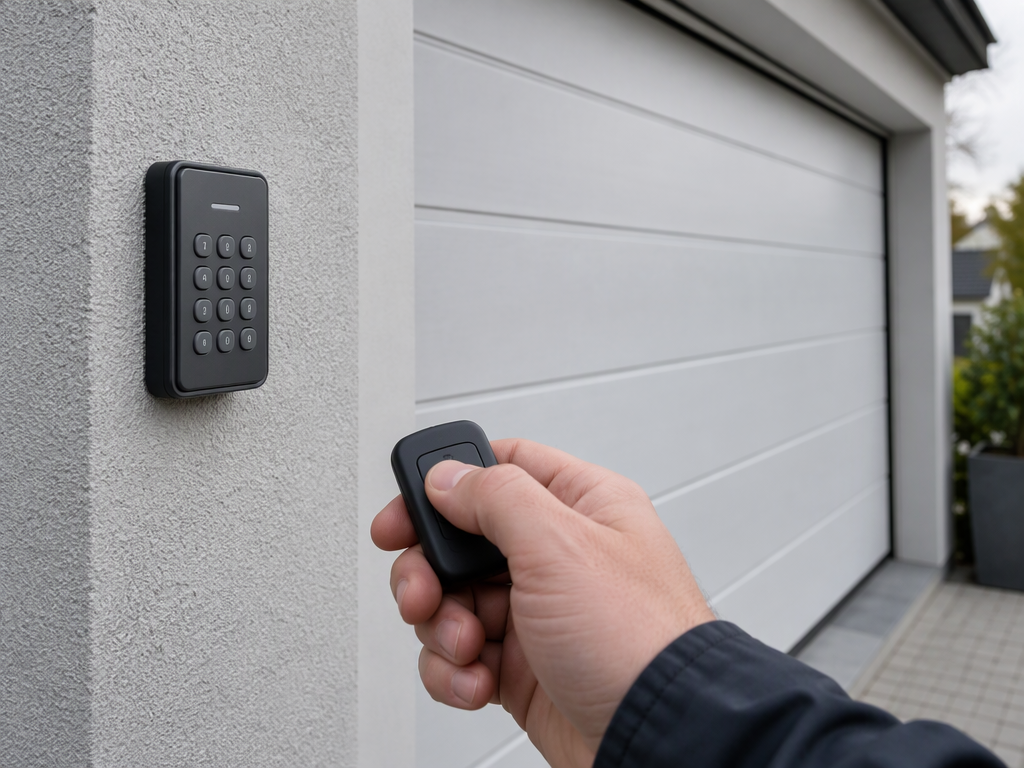
- Fitting and coding wireless keypads
- Diagnosing remotes with poor range
- Replacing wall buttons
- Checking remote compatibility with older openers
Remotes are keys
A garage remote does the same job as a house key, and in many homes the garage leads straight into the house. When a remote is lost or a property changes hands, clearing the opener’s memory and re-pairing only the remotes you hold is the equivalent of rekeying a lock.
This is particularly relevant for rental properties and newly purchased homes, where nobody can be sure how many remotes were handed out over the years.
Compatibility
Not every remote works with every opener. Openers use different frequencies and coding systems, and older units may only accept specific remotes. The opener is identified before a replacement remote is supplied, so you are not left with one that will not pair.
Keypads and range problems
A wireless keypad beside the door lets family members get in without carrying a remote, and the code can be changed whenever needed. Poor remote range is often a flat battery, interference or a damaged aerial on the opener, and is usually simple to fix.
- Remote works only right next to the door: battery, aerial or interference
- Remote stopped working after a power cut: opener memory or settings
- New remote will not pair: frequency or coding mismatch
Process
What happens, in order
- 01
Identify the opener
A photo of the opener’s label helps confirm which remotes are compatible.
- 02
Supply the remote or keypad
A compatible remote or keypad is matched to the opener.
- 03
Clear and pair
Where needed, all old remotes are cleared and only yours are paired.
- 04
Test
Each remote and the keypad are tested from the driveway.
Honest limits
What we will not do
- We will only clear or program remotes for an owner, occupant or authorised property manager.
- We will not supply a remote until compatibility with your opener is confirmed.
- We will not promise an arrival time we have not confirmed with you on the call.
Often needed alongside this
I lost a garage remote. What should I do?
Have the opener’s memory cleared and re-pair the remotes you still have. That stops the lost remote from working, in the same way rekeying stops a lost key from working.
Can I program a new remote myself?
Many openers allow it through a learn button on the unit. If the remote is not compatible or the opener is older, it may need a different remote or professional programming.
Do keypads work in the rain?
Outdoor keypads are designed for weather exposure. Placing them where they are partly sheltered helps them last longer.
Find us
Find us in Camberwell
Our base is on Burke Road, a short walk from Camberwell Junction. Most work is done at your property, so please call before visiting.
Nina Locksmith Camberwell Service
666 Burke Rd, Camberwell VIC 3124Opening hoursOpen 7 days, 8 am–6 pm
Location
Nina Locksmith Camberwell Service
666 Burke Rd, Camberwell VIC 3124, AustraliaThe map loads only when you ask for it, so it never slows the first page render.
Next step
Tell us what the door is doing.
Whether it is a garage door that will not lift, an opener that keeps reversing or a lock that has become stiff, a short description is the best place to start.
Where to find us
666 Burke RdCamberwell VIC 3124